
Enhanced Product Selection: Introducing Color Swatches in BYOB Quickview Pop-up

Make Shopping More Intuitive With Visual Color Selection
We're excited to announce a significant upgrade to the BYOB Quickview Pop-up app block: native color swatch support. Your customers can now see and select product colors visually, creating a more engaging and intuitive shopping experience.
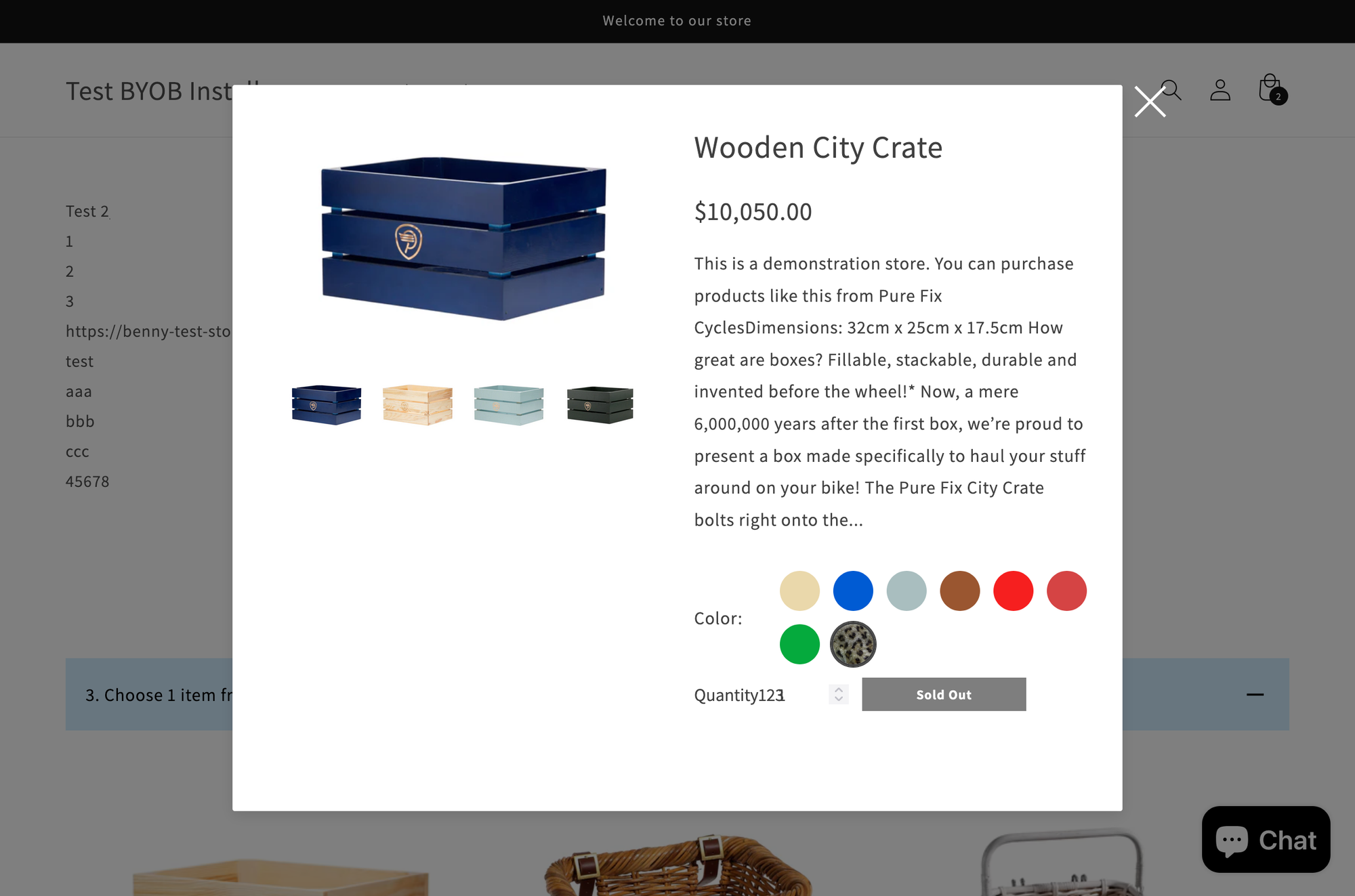
What's New?
Instead of scrolling through dropdown menus to find the right color, customers can now:
- Click color swatches displayed directly in the quickview modal
- See color previews instantly with both solid color and image-based swatches
- Choose between three swatch styles: Circle, Square, or classic Dropdown
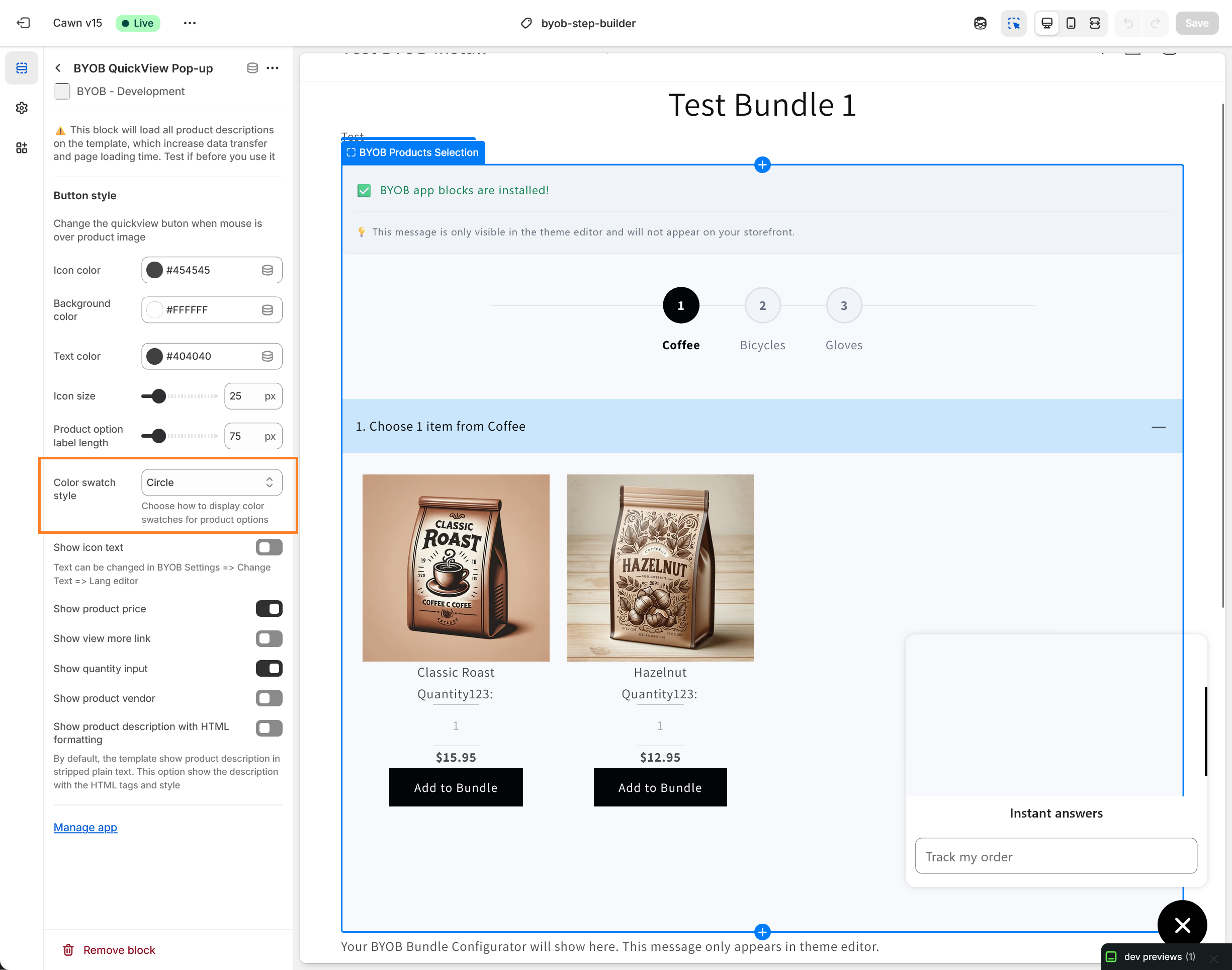
This means faster selections, fewer support inquiries about color accuracy, and a more polished storefront experience.
How It Works
When a customer opens the quickview modal for a product with color options:
- Color Swatches Automatically Display - If color swatches are configured in Shopify, they appear as interactive buttons
- Visual Feedback - Selected colors show a distinct border highlight
- Fallback Support - Products without swatches, or if you prefer dropdowns, seamlessly use the traditional select box
- Smart Styling Options - Choose how your swatches look with three built-in styles
Before You Activate: Requirements
To enable this color swatch feature, you'll need to meet these prerequisites:
1. Product Option Metafields Configuration
Color swatch data is stored in Shopify's product option metafields. You'll need to:
- Access your Shopify admin
- Navigate to Products admin > Select Your Product > Category Metafield (or follow the Shopify's guide on category metafields)
- Ensure your product options have the
swatchmetafield properly configured with:- Color values (hex codes like #FF5733), OR
- Swatch images (image URLs for pattern/texture swatches)
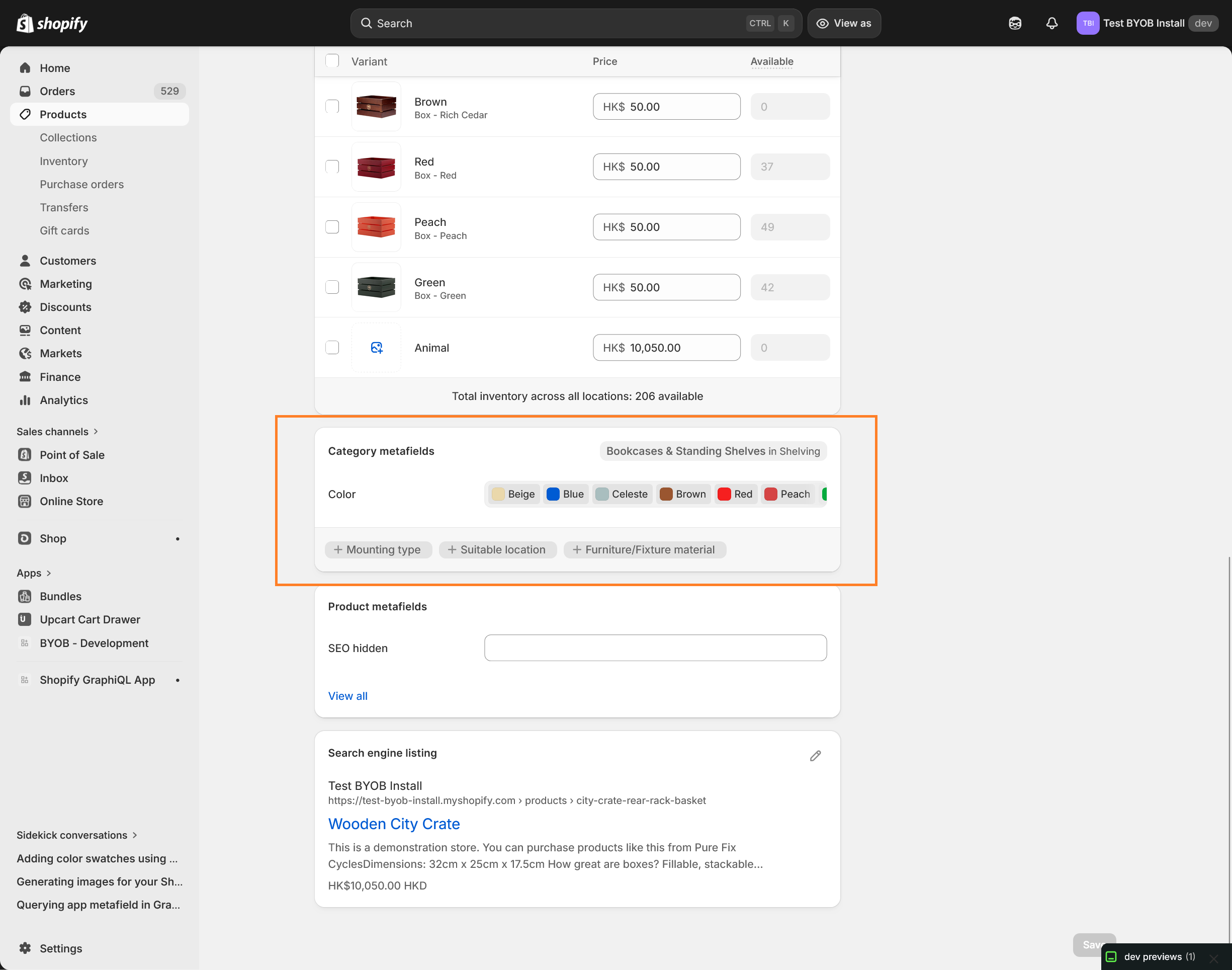
- You must link the product option with the category metafield
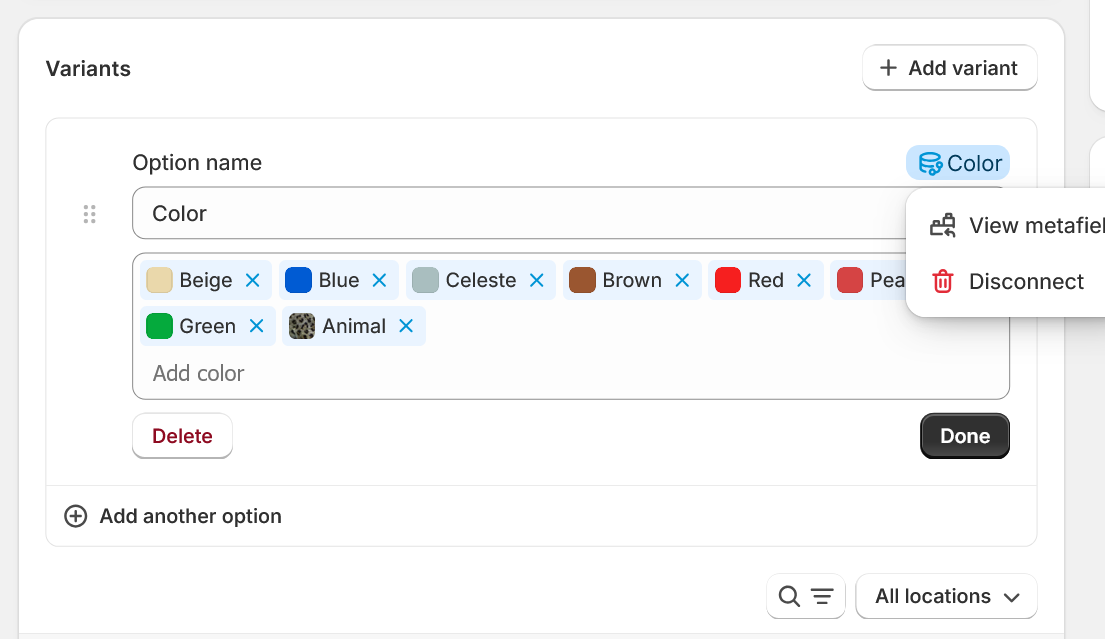
2. BYOB Quickview Block Added to Product Template
The quickview functionality requires the BYOB Quickview Pop-up app block to be installed on your product template:
- In the Shopify theme editor, open your Product template
- Add the BYOB Quickview Pop-up app block if it isn't already present. Place it before the BYOB Products Selection app block
- Save your changes
Customizing Your Swatch Style
The update includes a new customization setting in your theme editor:
- Open the Shopify theme editor
- Select the BYOB Quickview Pop-up block
- Look for the new "Color swatch style" dropdown
- Choose your preferred display:
- Circle (default) - Modern, compact circular swatches
- Square - Classic square swatch buttons
- None - Use traditional dropdown menus instead
Your choice applies globally to all products using the quickview feature.
The Embed Widget Bundle
The quickview pop-up in the embed widget can also support a color swatch. The circle swatch will show if the category metafield is found. Otherwise, it will fall back to show the color in pills.
Performance & Reliability
We've built this feature with performance in mind:
- Automatic fallbacks - Products without swatches always work perfectly with dropdowns
- Mobile-optimized - Swatches are touch-friendly and responsive
Have Questions?
Color swatches are designed to be plug-and-play, but if you need help setting up product option metafields or customizing the quickview block, reach out to our support team.
Ready to enhance your product experience? Your customers will thank you for making color selection effortless.
The BYOB Quickview Pop-up app block is part of the BYOB Full-Page Bundle