New Feature Announcement: Add “Included Items” to Your Bundles

We’re pleased to introduce a highly requested improvement to BYOB — the ability to include specific items inside a bundle by default.
This gives you more flexibility in designing bundles, helps you build curated product sets, and makes the bundle experience clearer for your customers.
What are “Included Items”?
Included items are products that you pre-select for your customers inside a bundle. These items appear automatically in the bundle before the customer makes any choices.
You can use Included Items to create:
1. Preset bundles
Some items are always part of the bundle.
Examples:
- 1 preset item + any 2 customer-selected items
- 2 preset items + any 3 items from a collection
2. Hybrid bundles
A combination of preset items and customer-selected items.
Example:
- 1 preset item + any 2 choices
3. Simple free items
You may also set an included item’s price to $0 so customers receive it automatically.
This acts as a basic “free item,” without additional promotional effects.
Note: Advanced free-gift features (gift badges, savings highlights, gift rules, etc.) are still in development and will be released in a future update.
How does this help your store 🚀
- Improves conversion by making bundles easier to understand
- Increases average order value (AOV) through preset bundle structures
- Creates ready-made kits (starter sets, sample packs, curated sets)
- Reduces confusion by clearly showing what is included upfront
Plan Availability
Standard Plan ($49/month)
Designed for simpler bundles.
You can:
- Add 1 included item
Advanced Plan ($99/month)
Built for more advanced bundle setups.
You can:
- Add multiple included items
This plan provides the foundation for more complex promotional bundles in the future.
Where this feature works
Included Items are now available in the Embed Widget and the latest cart transformation, so customers can experience the new structure directly on your product pages.
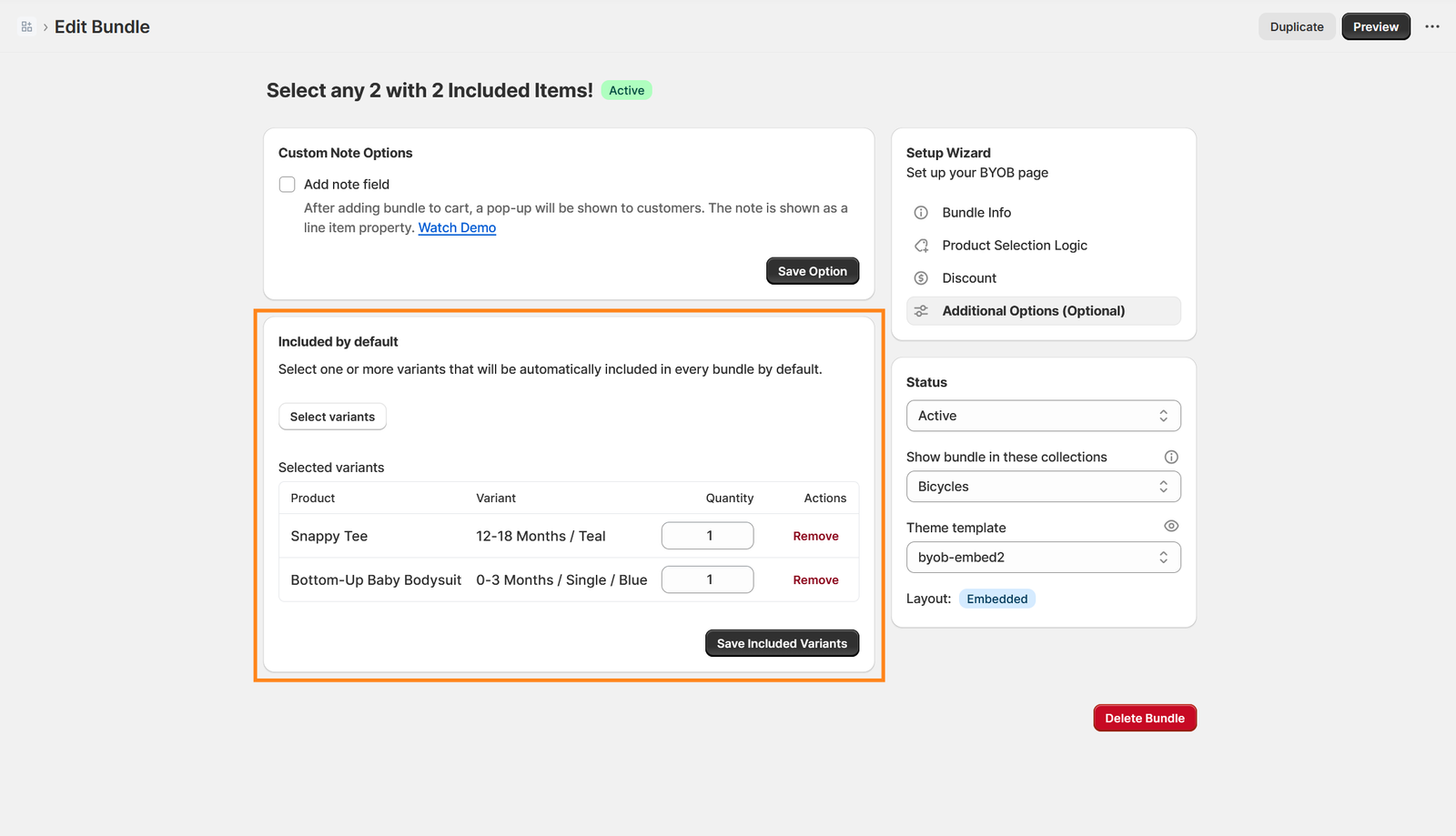
You can select the variants on the bundle options:
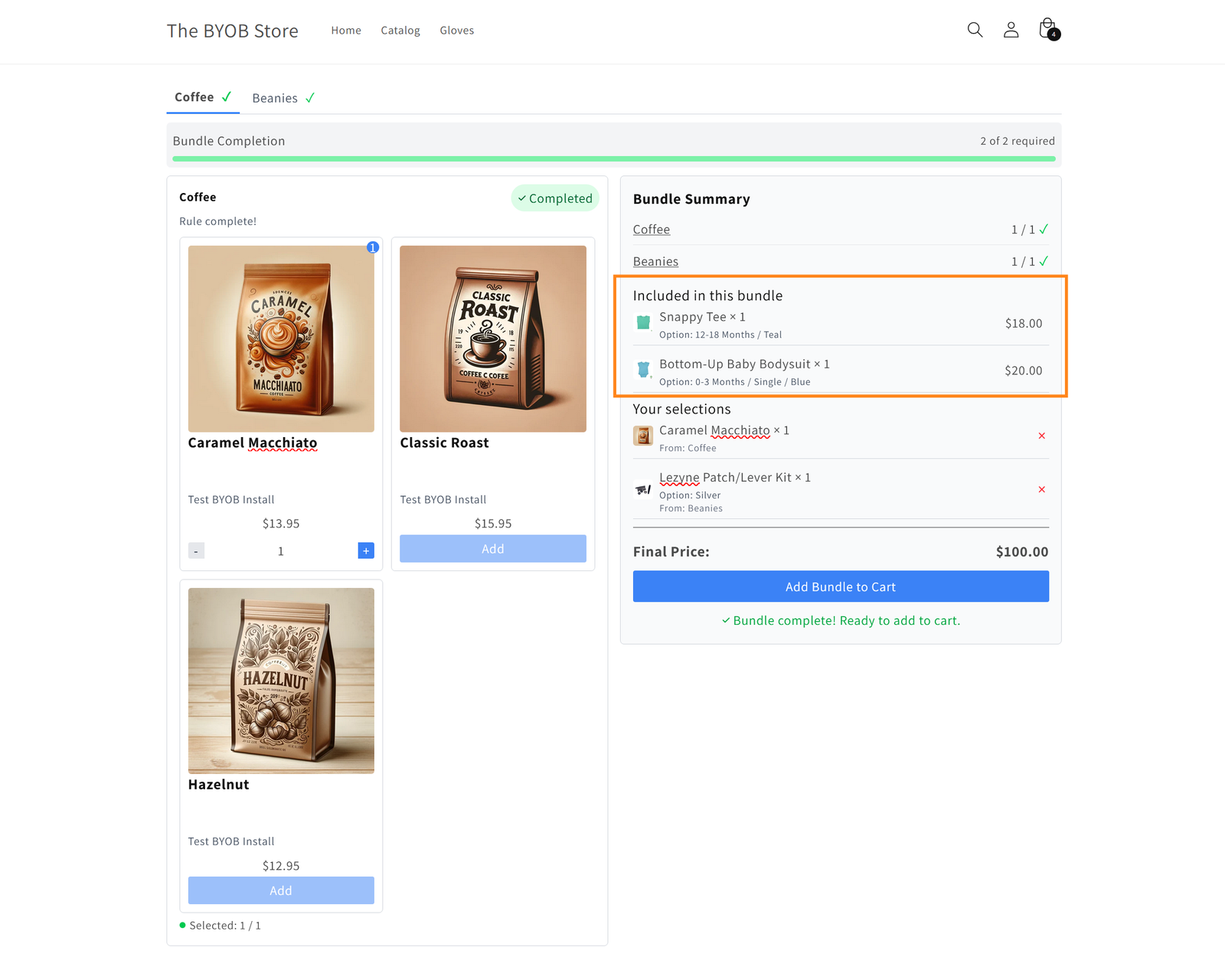
The included variants will be shown in the Bundle Summary section:
Try the sample bundle now
Here's a sample bundle we set up on our demo store. Feel free to try it out to see if it's the right fit for your store!
👉🏽 Try it here!
Start using it today! 🌟
You can now go to your BYOB app and add Included Items to any bundle.
Whether you’re building a curated set or a flexible hybrid bundle, this update gives you a clearer and more powerful way to present your products.
If you have questions or would like suggestions for how to best use this feature, our support team is always happy to help.