Introduce Free Gifts with Your Build Your Own Bundles

A little extra can make a bundle more appealing. With BYOB’s new Free Gift discount, you can offer customers a gift when they complete a bundle—without creating a separate discount code.
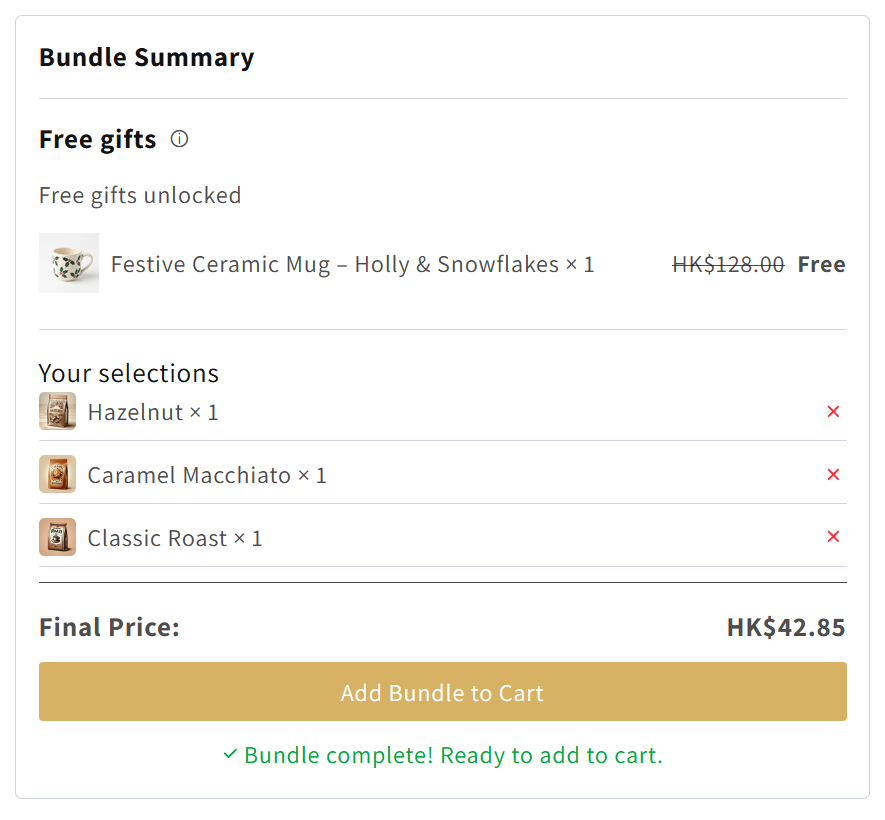
Choose the gift products in BYOB, and the offer appears in the bundle summary as customers make their selections. When they add the completed bundle to their cart, the gifts appear as separate items with a free-gift discount.
How Free Gifts Work
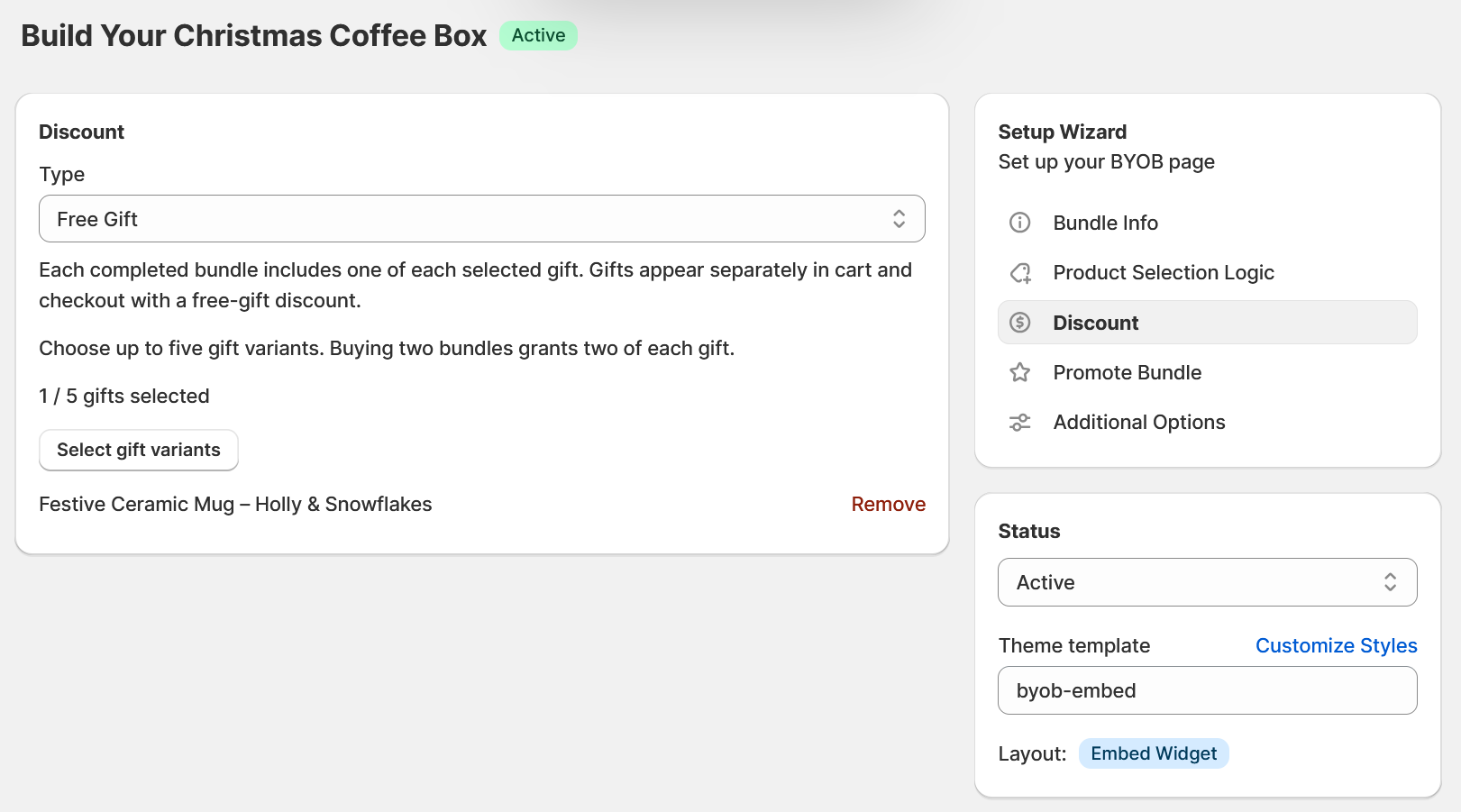
You can select up to five gift variants for a bundle. Each completed bundle includes one of each selected gift.
For example, you could let customers build their own skincare set and include a free travel-size cleanser. Or add a free accessory to a custom gift box.
The gift products can be regular paid products in your store. Customers see the free-gift offer while building their bundle, and they will see the discount in their cart and at checkout.
Quick demo showing a customer completing a bundle and viewing the free gift in the cart
Live Demo
Please try the sample bundle here.
Set Up a Free Gift
- Create or edit an embed widget bundle in BYOB.
- In the Discount section, select Free Gift.
- Choose up to five product variants to offer as gifts.
- Save your bundle and preview the offer on your storefront.
Free Gifts give you a simple way to add a surprise to your bundles and show customers the extra value they’re getting. Try it in BYOB and see how it fits your next promotion!